Introducing TeraCopy Pro: the ultimate solution for Windows users seeking faster, more secure file transfers. Say goodbye to the frustration of slow copying or moving files. TeraCopy Pro is your reliable companion, ensuring swift and seamless transfers.
With TeraCopy Pro, you can resume interrupted transfers, saving you time and hassle. It’s designed to skip over problematic files, showing them to you at the end for easy handling. Plus, it calculates CRC checksums on the fly, speeding up comparisons between source and target files.
Integration with Windows Explorer means you can keep working with files as usual, with the added bonus of TeraCopy Pro’s efficiency. Whether you prefer using the mouse or keyboard shortcuts, TeraCopy Pro offers intuitive controls for copying or moving files.
Experience the convenience and peace of mind that comes with TeraCopy Pro. Download it now from the developer’s website and supercharge your file management experience on Windows.
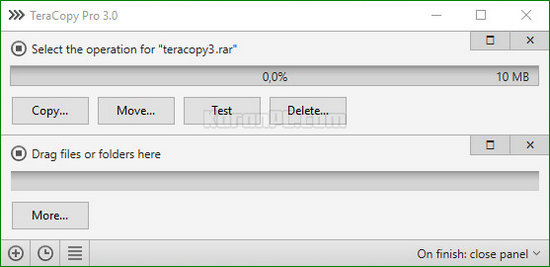
Features of TeraCopy Pro Full
- Copy files faster: TeraCopy uses dynamically adjusted buffers to reduce seek times. Asynchronous copy speeds up file transfer between two physical hard drives.
- Pause and resume file transfers. Pause the copy process anytime to free up system resources and continue with a single click.
- Error recovery: In case of a copy error, TeraCopy will try several times and in the worst case just skip the file, not terminating the entire transfer.
- Interactive file list: TeraCopy shows failed file transfers and lets you fix the problem and recopy only problem files.
- Shell integration: TeraCopy can completely replace Explorer copy and move functions, allowing you to work with files as usual.
- Full Unicode support.
See how FastCopy 2022 stands out in our full review.
TeraCopy Pro Features:
- You can also buy a Pro version of the program that lets you do the following:
- Copy/move to favorite folders.
- Select files with the same extension/same folder.
- Remove selected files from the copy queue.
- Get free updates and priority support.
- More features coming soon!
Developer: Homepage
License: full_version
Language: English
OS: Windows
– Enhanced xxHash support for SSE2 processors.
– Upgraded reporting and checksum export features.
– Implemented network recovery wait function during testing and verification.
– Expanded maximum buffer capacity to 256 MB.
– Resolved minor bugs and improved user interface design.
Download TeraCopy Pro Final Version for Windows
TeraCopy Pro 3.17 | 32/64-bit | File Size: 10 MB
UsersDrive | Uploadrar | Direct
Portable TeraCopy Pro 3.17 | 64-bit | File Size: 8 MB
UsersDrive | Uploadrar | Direct
TeraCopy Pro 3.6.0.4 Final | File Size: 7 MB
UsersDrive | Uploadrar | Direct
Portable TeraCopy Pro 3.6.0.4 Final | File Size: 4 MB
UsersDrive | Uploadrar | Direct