Rufus Software is a computer program that helps you create bootable USB drives easily. A bootable USB drive is a USB flash drive that can be used to start or “boot” a computer & run an operating system (like Windows or Linux) directly from the USB drive. Rufus Software makes it simple to take an ISO image file (a type of file that contains a complete copy of an operating system or other software) and copy it onto a USB flash drive. This allows you to use the USB drive to install or run the operating system or software on any compatible computer.
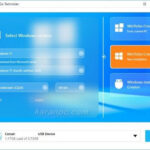
The program has a straightforward interface that looks similar to the formatting tools built into Windows. You can select the USB drive you want to use, choose the type of operating system or software you want to make bootable, and then let Rufus Software do the rest. Rufus Software offers both basic and advanced options, so it can be used by people with different levels of computer knowledge. The basic options allow you to format the USB drive, check for any bad sectors on the drive, & create a bootable drive from an ISO image file.
The advanced options let you customize things like the file system type cluster size & volume label for the USB drive. Overall, Rufus Software is a simple and user-friendly tool that makes it easy to create bootable USB drives for installing or running various operating systems and software on different computers.
ISO to USB Bootable Tool
Advanced tweaks can make Rufus list fixed (non-flash) or unpartitioned USB flash disks, add fixes for old BIOS (e.g. extra partition), and you may use Portable Rufus
MBR with a selected BIOS ID.
The program records all activity to a separate panel, and it can be saved to a LOG file. It carries out a format task rapidly and error-free, using low system resources. We have not come across any issues during our tests, since the utility did not cause Windows to hang or crash. To sum it up, Rufus Latest is a straightforward solution to formatting and creating bootable USB drive, providing users with a series of useful features. There is also a portable edition available.

Rufus for Windows 10
Supported Languages: Arabic, Bulgarian, Chinese (Simplified), Chinese (Traditional), Croatian, Czech, Danish, Dutch, Estonian, Finnish, French, German, Greek, Hebrew, Hungarian, Indonesian, Italian, Japanese, Korean, Latvian, Lithuanian, Malay, Norwegian, Persian, Polish, Portuguese (Brazil), Portuguese (Portugal), Romanian, Russian, Serbian (Latin), Slovak, Slovenian, Spanish, Swedish, Thai, Turkish, Ukrainian, Vietnamese
What's New in Rufus 4.15 - Changelog
- Add RISC-V 64 support to UEFI:NTFS
- Improve the guards for using the “silent” Windows installation option
- Improve the ability to cancel during write retries
- Improve progress reporting for compressed image extraction
- Fix unrestricted XML entity expansion and integer overflow in ezxml parser (courtesy of Eric Sadowski)
- Fix “silent” Windows installation failing at 75% in most cases
- Fix a crash during boot when using UEFI:NTFS on Snapdragon X based ARM64 platforms
- Fix first WUE option always being checked by default
- Fix an infinite loop when using Windows ISOs that contain multiple WIMs
- Fix “Enable runtime UEFI media validation” checkbox not always being properly enabled
- Other WUE improvements/fixes for OneDrive removal and username validation (with thanks to @christian8641)
Previous Versions History
Technical Details for Rufus
Download Rufus Portable for Windows
Rufus 4.15 Build 2396 + Portable | File Size: 5 MB
Pixeldrain | Direct