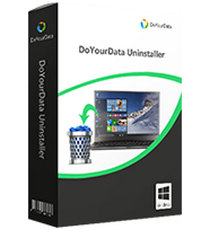
Stubborn programs that refuse to uninstall properly are one of my biggest Windows pet peeves. You go through the standard process, only to find later that leftover files and registry entries are still lurking, quietly eating up space or causing conflicts. After wrestling with this on my own Windows 10 and 11 machines, I’ve learned that the built-in uninstaller often just isn’t enough. That’s what led me to really put DoYourData Uninstaller Pro through its paces. I was looking for a tool that didn’t just remove a program, but actually hunted down and deleted all the digital debris it left behind. From my testing, this is the utility that finally solved that problem, making it an essential part of my regular PC cleanup routine to keep things running smoothly.
Key Features of DoYourData Uninstaller Pro
- Complete Software Removal: It handles everything from standard desktop apps to those tricky built-in Windows apps and browser plug-ins I never use.
- Thorough Leftover Cleanup: This is the main reason I use it. After the main program is gone, it does a deep scan for associated files, folders, and registry entries that other methods leave behind.
- Stubborn Program Uninstallation: I’ve used it on a few broken applications that wouldn’t show up in the normal Add/Remove Programs list, and it forced them off my system completely.
- Batch & Smart Uninstallation: When I’m doing a big spring cleaning, I can select a whole list of old programs and remove them all at once, which saves a ton of time.
- All-in-one Windows Uninstaller: It consolidates everything into one interface—seeing all my installed software, including Windows Store apps, makes management much simpler.
- Safe & Secure Operation: In my use, it hasn’t caused any system instability. It’s careful about what it targets, so you don’t have to worry about it accidentally removing something critical.

System Requirements for Windows
- Operating System: Windows 11, 10, 8.1, 8, 7, Vista, XP (both 32-bit and 64-bit editions)
- Processor: Intel Pentium 1 GHz (or equivalent AMD processor) or faster
- RAM: 512 MB (1 GB recommended for optimal performance)
- Hard Disk Space: 100 MB of free hard disk space
- Internet Connection: Required for product activation and software updates
Get a quick overview of Perfect Uninstaller Final’s features here.
Why I Recommend DoYourData Uninstaller Pro
If you want to keep a Windows PC running well, a dedicated Windows uninstaller is non-negotiable. Based on my experience, DoYourData Uninstaller Pro is a standout. It genuinely excels at helping you completely remove stubborn programs Windows can’t handle on its own. Whenever I’ve needed to figure out how to force uninstall programs on PC—like outdated drivers or corrupted software—this has been my go-to solution. It ensures you can uninstall software and delete leftovers in one fell swoop. So, for this DoYourData Uninstaller Pro review, my take is that its deep-cleaning focus is what makes it valuable. It prevents the slow accumulation of junk that gradually bogs down your system, which is crucial for both performance and privacy.
Benefits of DoYourData Uninstaller Pro Portable Edition
The Portable Edition is a fantastic option for flexibility. You can run it directly from a USB drive without installing anything on the host computer. I find this incredibly useful; I keep a copy on my external hard drive for when I’m helping friends or family clean up their PCs. Since it leaves no traces on the system you run it on, it’s perfect for IT folks, students using lab computers, or anyone who needs a powerful cleaning tool on the go. It gives you the same ability to thoroughly clean any Windows machine, but with the peace of mind that you’re not adding temporary files or registry entries to a computer that isn’t yours.
Developer: Homepage
License: full_version
Language: English
OS: Windows All
Download DoYourData Uninstaller Pro for Windows
If you’re ready to stop dealing with half-uninstalled programs and hidden leftover files, DoYourData Uninstaller Pro is worth downloading. It transformed how I manage software on my Windows PCs, moving from occasional frustration to a quick, clean removal process. Getting rid of unused programs and their hidden baggage is one of the easiest ways to reclaim disk space and maintain system health. You can get started by clicking the link below to download the tool directly.
DoYourData Uninstaller Pro 5.9 | File Size: 12 MB
UsersDrive | NextCloud | Direct
Portable DoYourData Uninstaller Pro 5.9 | File Size: 14 MB
UsersDrive | NextCloud | Direct