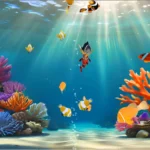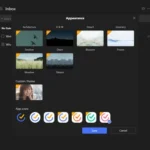


AI Aquarium Screensaver for Windows is a 3D interactive aquarium that brings a calming underwater world to your desktop with lifelike fish, customizable scenes, and ambient audio. It solves the need for a relaxing, visually rich screensaver by combining realistic animations, AI-driven fish behavior, and easy personalization tools so users can create a unique virtual aquarium experience without technical setup.
Key Features of AI Aquarium Screensaver
- Ten Aquarium Background Styles: Offers ten distinct aquarium landscapes, from tropical rain forest and coral water grass to cyber mechanical and cartoon styles for varied visual themes.
- 150+ Fish Species: Includes over 150 freshwater and saltwater fish like clownfish, koi, manta rays and more, providing diverse and natural-looking populations in every tank.
- Interactive Aquarium Experience: Lets users feed and interact with fish, adjust fish counts, and create realistic ripple effects for an engaging, hands-on virtual aquarium session.
- Automatic Feeding System: Runs in the background to periodically feed fish, maintaining lively activity and ensuring the aquarium remains animated even when unattended.
- Customization Options: Supports custom background images and background music playlists so users can tailor the aquarium’s look and soundtrack to personal taste.
- Multi-Monitor Support: Extends the immersive aquarium across multiple displays so large workspaces or multi-screen setups can display a continuous aquatic panorama.
- Advanced Lighting Effects: Provides dynamic lighting modes such as rainbow gradient, pulse gradient and white noise gradient to create natural and dramatic underwater illumination.
Read our Screensaver Factory review and discover its features.
Why Choose AI Aquarium Screensaver?
AI Aquarium Screensaver for Windows blends stunning visuals with stability and smooth performance, delivering a serene screensaver that won’t slow your system. Its rich species library, interactive features, and customization tools let users craft personalized aquatic scenes for relaxation or workspace ambiance. The screensaver’s multi-monitor and background operation support make it suitable for both casual viewers and professionals seeking a calming, decorative display on Windows systems.
What's New in AI Aquarium Screensaver 1.9.1 - Changelog
- Added a Set as Screen Saver feature, accessible on first launch or from Control Center.
- Added underwater environmental animations: water surface waves, light rays, caustics, swaying plants, and suspended particles.
- Added jellyfish and shrimp.
- Refreshed the user interface.
- Improved movement algorithms for fish and other aquatic creatures.
- Fixed known issues and improved the overall experience.
System Requirements
– OS: Windows 10 version 17763.0 or higher
– Memory: 2 GB (Minimum), 4 GB (Recommended)
– Graphics Processor: OpenGL 3.0 (Minimum), OpenGL 4.0 (Recommended)
Developer: Homepage
Platform: Windows
License: full_version
Language: English
Download AI Aquarium Screensaver for Windows
AI Aquarium Screensaver 1.3 | File Size: 359 MB
UsersDrive | Direct
Portable AI Aquarium Screensaver 1.3 | File Size: 305 MB
UsersDrive | Direct
AI Aquarium Screensaver 1.3 | File Size: 340 MB
UsersDrive | NextCloud | Direct