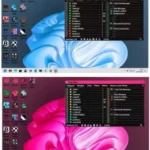


Are you looking to optimize your Windows 11 experience? Look no further than Yamicsoft Windows 11 Manager! This powerful software is designed to enhance your PC’s performance and customize your system according to your preferences. With easy-to-use tools, you can speed up your computer, clean up junk files, and improve security settings with just a few clicks.
Yamicsoft Windows 11 Manager offers a range of features to make managing your PC effortless. From tweaking system settings to organizing your startup programs, this software puts you in control of your computer like never before. Plus, its intuitive interface makes it suitable for both novice and experienced users alike.
Say goodbye to sluggish performance and hello to a smoother, more efficient Windows 11 experience. Download Yamicsoft Windows 11 Manager today and unlock the full potential of your PC!
The Yamicsoft Windows 11 Manager Portable version offers convenience and versatility. Carry it on a USB drive for on-the-go optimization of your Windows 11 system. Enjoy benefits like easy customization, efficient system maintenance, enhanced security settings, and quick troubleshooting, all in a portable package ready whenever you need it.
Features of Yamicsoft Windows 11 Manager
Information
Creates the system restore point manually; Gets detailed information about your system and hardware, helps you find out the Microsoft product key such as Microsoft Windows and Microsoft Office; Shows and manages all running processes and threads; Repair Center helps to diagnose and fix the various system problems; Cleans up your system just one clicking; Optimization Wizard is useful to the user who is unfamiliar with computers.
Optimizer
Tweaks your system to improve performance and increase speed; Manages and configures the Windows boot menu to your preference; Startup Manager controls all the started programs with Windows start, checks and repairs the advanced startup items to restore the malicious change by viruses; Manages and optimizes system services and drivers to improve performance; Manages and optimizes the scheduled tasks to speed up your system.
Cleaner
Disk Analyzer can analyze and view the disk space usage of all programs, files, and folders to find out which engross your disk space and shown with a chart; Cleans up WinSxS folder securely to reduce the component store size; Smart Uninstaller can fully delete programs from your system without residual files and Registry entries; Desktop Cleaner can analyze and move unused shortcuts, files and folders on desktop to specified folders; Searches and deletes junk files to save disk space and improve performance; Searches and deletes the duplicated files to save your disk space; Registry Cleaner searches Registry to find out and delete the invalid items; Registry Defrag rebuilds and re-indexes your Registry to reduce registry access time and therefore improve application responsiveness and eliminate mistakes and corruption in Registry.

Customization
Customizes system parameters according to your preferences by tweaking File Explorer, Desktop, Start, Taskbar, and Notification area; Adds files, folders, and system items to This PC, and Desktop; Pins the files or folders to your Desktop, Taskbar or Start; Creates the quick startup items for jumplist on Taskbar; Manages the context menu when right click the file, folder, etc; Edits the shortcut menu that right-clicks Start button (Win + X shortcut); Customizes the look of your system; Edits and adds the shortcuts that executed on Run dialog box; Tweaks the Windows Apps and Microsoft Modern UI settings.
Security
Tweaks system, components, UAC, and Sign settings, adjusts various settings and restricts access to drives and programs to improve system security; Safeguard your sensitive files and folders security, encrypts files, moves system folders to safe locations; Privacy Protector ensures privacy and keeps sensitive information secure by eliminating tracks; File Undelete recovers and restores deleted or formatted files on logical disks; Locks some system features to improve security.
Network
Optimizes and tweaks your internet connection and network settings; Tweaks Microsoft Internet Explorer browser settings; IP Switcher can switch between different network settings easily; Edits the Hosts file to speed up system surfing internet; Wi-Fi Manager can view and manage all your wireless network.
Misc. Utilities
Creates scheduled tasks or the monitorings that trigger tasks; Shows and run the useful collection of utility that built-in your Windows; Splits a file into several smaller files or merges back to the original file; Super Copy is the powerful tool to copy files or backup automatically; Operates your Registry easily using the Registry Tools.
Check out our S.O.S Security Suite 2023 review and features.
Developer: Homepage
License: full_version
Language: Multilingual
OS: Windows 11.
Download Yamicsoft Windows 11 Manager Portable
Windows 11 Manager 1.4.4 | 64 bit | File Size: 21 MB
UsersDrive | Uploadrar | Direct
Portable Windows 11 Manager 1.4.4 | 64 bit | File Size: 17 MB
UsersDrive | Uploadrar | Direct