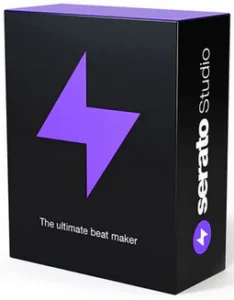
Serato Studio is designed for creators who want fast, intuitive, and frustration-free beat making. Instead of overwhelming you with complicated menus, it presents a clean workspace where ideas can flow instantly. With drag-and-drop sequencing, smart automation, and easy sound layering, it lets you build rhythms, melodies, and remixes without slowing your momentum. Whether you’re a DJ experimenting with your first beat or a seasoned producer working on new projects, Serato Studio keeps everything smooth and inspiring.
Unlike traditional DAWs that require hours of setup, Serato Studio focuses on speed and simplicity. Many essential tools—samplers, effects, decks, instruments, and mixing controls—are already preset for musical creativity. You can flip samples, extract stems, generate drum patterns, record ideas, and sync everything automatically with Serato’s signature precision. It also integrates perfectly with DJ libraries, allowing you to remix your existing tracks effortlessly. For anyone who wants to create high-quality music on Windows with minimal setup and maximum creativity, Serato Studio offers a streamlined, performance-ready environment.
Read our Garden Planner 2026 review and discover its features.
Features of Serato Studio
Fast, simple workflow
Get your ideas down quick and stay in the creative flow with time-saving features, including pre-made drum patterns, BPM-sync and one-click key shifting.
DJ-friendly production
Make beats with your DJ hardware and access your entire Serato DJ library. You’ll also get familiar DJ elements like colored waveforms, a mixing channel, and high-quality FX.
Built-in sounds to get started
Start making music right away with built-in drum-kits, instruments, loops and samples from renowned artists and sound designers.
Simple but powerful
Use VST and AU plug-ins, automation, and export stems to customize your sound exactly how you want it.
Auto Chord Mode
Instantly generate chords in the key of your project – no music theory, no problem. Turn on the Feel knob to simulate a live keyboard player.
Song View Improvements
Including the ability to duplicate your Audio Tracks, a new ‘Back to Start’ button in the Song View, and new horizontal resizing in the Song View sidebar.
Quantized Cue Points
Quantize Mode will now snap your Cue Points to the closest half-beat – just like Serato DJ.
Serato DJ Library Update
For all the producer-DJs out there, your DJ tab columns will now sync up with how they appear in Serato DJ.
Developer: Homepage
Platform: Windows
License: full_version
Language: English
Download Serato Studio for Windows
Serato Studio 2.4.0 | File Size: 328 MB
UsersDrive | NextCloud | Direct