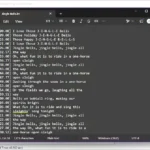
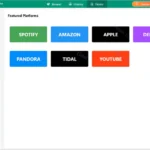
RealVoice Text to Speech is a simple and efficient tool that converts written text into clear, natural-sounding speech using Microsoft neural voices. It is designed for users who need fast and reliable voice output without complicated setup or online accounts. You can instantly preview voices, adjust speech rate and pitch, and export high-quality audio files with ease.
RealVoice Text to Speech also lets you add background music to your voiceovers. You can control volume levels, balance voice and music, and apply a smooth fade-out at the end for a professional finish. The clean, modern interface makes the workflow easy even for beginners.
No sign-in is required, and everything works locally on your PC. Audio can be saved as MP3, making it ideal for content creators, educators, podcasters, and anyone who needs quick voice narration.
Want to know VIDBOX VHS to DVD’s features? Check out the guide.
Features of RealVoice Text to Speech
Realistic voices
Uses Microsoft neural voices via secure HTTPS.
Instant preview
Hear changes to text, voice, rate, and pitch immediately.
Music mixing
Add a background track, set levels, and fade-out at the end.
Voice-only or mixed export
Save clean MP3s
No account required
Works locally; you control your files.
Modern UI
Light-blue theme, clear controls, and helpful defaults.
Resilient synthesis
Automatic retry + fallback voice if a network hiccup occurs.
System Requirements
Windows 10 version 17763.0 or higher
Developer: Microsoft Store
Platform: Windows
License: full_version
Language: English
Download RealVoice Text to Speech for Windows
RealVoice Text to Speech | File Size: 618 MB
UsersDrive | NextCloud | Direct