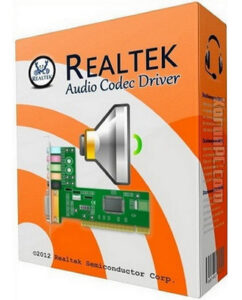
Need to upgrade your PC’s sound capabilities? Realtek High Definition Audio Drivers provide support for the latest audio formats, delivering high-quality, multi-channel sound experiences like DTS, Dolby, and Surround.
These drivers offer significant advantages over older AC’97 audio, including full support for new formats, higher bandwidth, Plug and Play device connection, and improved speech recognition. Experience theater-like audio in your own home. Download Realtek High Definition Audio Drivers today and unleash the full potential of your PC’s sound!
Have you updated your Realtek drivers? Share your experience or any audio improvements in the comments!
Read our DriverEasy review and discover its features.
Key Features of Realtek High Definition Audio Drivers
High-Performance DACs and ADCs
Realtek drivers feature high-performance Digital-to-Analog Converters (DACs) and Analog-to-Digital Converters (ADCs) that deliver exceptional audio clarity with a dynamic range of up to 106dB.
7.1+2 Channel Multi-Streaming
Enjoy immersive 7.1 surround sound while simultaneously streaming stereo audio for gaming, VoIP, or other applications.
Wide Sample Rate Support
Supports sample rates of 44.1k, 48k, 96k, and 192kHz for both playback and recording, ensuring high-fidelity audio.
Microphone Array Input with AEC/BF
Advanced Acoustic Echo Cancellation (AEC) and Beam Forming (BF) technologies enhance voice clarity during calls or recordings.
Enhanced Gaming Experience
With 26 sound environment emulations and 3D positional audio, Realtek drivers take your gaming experience to the next level.
User-Friendly Interface
The intuitive configuration panel and Realtek Media Player make it easy to customize your audio settings.
Compatibility with Windows 10 & 11
Designed to work seamlessly with Windows 10 & 11, these drivers ensure smooth performance and easy installation.
Why Choose Realtek High Definition Audio Drivers for Windows?
Realtek High Definition Audio Drivers stand out for their unparalleled audio quality, extensive feature set, and compatibility with a wide range of hardware. Unlike generic audio drivers, Realtek offers advanced technologies like multi-streaming, 3D positional audio, and microphone array support, making it the ideal choice for both casual users and audiophiles.
How to Use Realtek High Definition Audio Drivers
Step 1: Download the Drivers
Visit the official Realtek website and download the latest version of the High Definition Audio Drivers compatible with your Windows version.
Step 2: Install the Drivers
Run the installer and follow the on-screen instructions to complete the installation process.
Step 3: Configure Audio Settings
Open the Realtek Audio Manager from your system tray to customize audio output, input, and effects according to your preferences.
Step 4: Test Your Audio
Play music, watch a video, or test your microphone to ensure everything is working perfectly.
Realtek High Definition Audio Drivers vs. Other Tools
While there are many audio drivers available, Realtek stands out for its advanced features and reliability. Unlike generic drivers, Realtek supports high sample rates, multi-streaming, and 3D audio, providing a superior listening experience. Additionally, its user-friendly interface and compatibility with a wide range of hardware make it a top choice for Windows users.
Frequently Asked Questions (FAQ)
What is the purpose of Realtek High Definition Audio Drivers?
These drivers enhance your PC’s audio performance, providing high-quality sound output and input for music, movies, gaming, and more.
Are Realtek drivers compatible with Windows 10?
Yes, Realtek High Definition Audio Drivers are fully compatible with Windows 10.
Can I use Realtek drivers for gaming?
Absolutely! Realtek drivers offer 3D positional audio and sound environment emulations, making them perfect for gaming.
How do I update Realtek drivers?
Visit the Realtek website, download the latest version, and follow the installation instructions.
Do Realtek drivers support surround sound?
Yes, Realtek drivers support 7.1 surround sound for an immersive audio experience.
Final Thoughts
Realtek High Definition Audio Drivers are a game-changer for anyone looking to elevate their audio experience on Windows. With advanced features, seamless compatibility, and exceptional sound quality, these drivers are a must-have for your PC. Don’t settle for mediocre audio—download Realtek High Definition Audio Drivers today and unlock the full potential of your sound system!
Developer: Realtek Semiconductor Corp.
Platform: Windows
License: Freeware
Supported OS: Windows XP/ 7/ 8/ 10/ 11.
Language: English
Download Realtek High Definition Audio Drivers for Windows
Realtek High Definition Audio Drivers 6.0.9998.1 | 64-bit | File Size: 91 MB
Pixeldrain | Direct
Realtek High Definition Audio Drivers 6.0.9151.1 | 32/64 bit | File Size: 194 MB
MediaFire | Direct