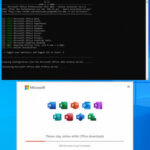
Looking for a simple way to install, activate, and configure Microsoft Office versions like 2016, 2019, 2021, and 2024? Office(R)Tool is here to help! This versatile tool simplifies the setup process, ensuring your Office suite is ready to use in no time.
Whether you’re setting up Office for personal or professional use, Office(R)Tool provides a hassle-free solution. Its intuitive interface and powerful features make it a must-have for anyone managing multiple Office installations.
Ready to streamline your Office setup? Download and install Office(R)Tool today! Once you’ve tried it, let us know how the review matched your experience. Did we cover all the features you loved? If something was missing, share it in the comments below. Start installing and activating Office effortlessly now!
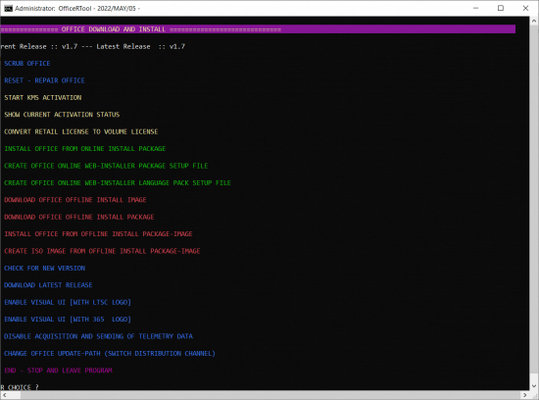
Features of Office(R)Tool
- Scrub Office
- Reset — Repair Office
- Start Kms Activation
- Show Current Activation Status
- Convert Retail License To Volume License
- Install Office From Online Install Package
- Create Office Online Web-installer Package Setup File
- Create Office Online Web-installer Language Pack Setup File
- Download Office Offline Install Image
- Download Office Offline Install Package
- Install Office From Offline Install Package-image
- Create Iso Image From Offline Install Package-image
- Check For New Version
- Download Latest Release
- Enable Visual Ui[with Ltsc Logo]
- Enable Visual Ui[with 365 Logo]
- Disable Acquisition And Sending Of Telemetry Data
- Change Office Update-path (switch Distribution Channel)
Want to know Secure Eraser Pro’s features? Check out the guide.
Developer: Homepage
License: Freeware
Language: English
OS: Windows
Download Office(R)Tool for Windows
Office R Tool 16.4.0 | File Size: 19 MB
UsersDrive | NextCloud | Direct