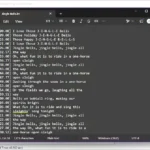
Manual data entry and repetitive desktop tasks can be incredibly time-consuming and prone to errors, draining valuable productivity from your day. Macro Commander Pro+ for Windows serves as an all-in-one solution designed to automate these processes efficiently and accurately. Whether you need to manage files, manipulate text, or automate web browsing, this software empowers you to create complex scripts and macros effortlessly. By utilizing its built-in recorder or manual editor, users can streamline their workflow, reduce manual input, and significantly boost productivity across various applications like Word, Excel, and web browsers.
Key Features of Macro Commander Pro+
- Personalized Data Entry: Create rich text, plain text, or clipboard macros to quickly insert data into any application or website with full formatting options.
- Advanced Automation Commands: Utilize over 300 built-in commands to manipulate files, folders, images, and network resources without needing complex programming knowledge.
- Smart Data Extraction: Automatically search for and extract specific data from Excel sheets, Word documents, and web pages using wildcards and OCR technology.
- Dual Mode Editor: Edit macros easily using the visual Steps mode or the advanced Code editor with syntax highlighting and autocomplete features.
- Versatile Macro Recorder: Record your mouse clicks and keyboard strokes in real-time to automate repetitive actions in desktop apps or browsers instantly.
- Flexible Activation Methods: Trigger your automation scripts using hotkeys, text shortcuts, mouse gestures, or custom toolbars to keep your hands on the keyboard.
- Unattended Task Scheduling: Schedule macros to run automatically at specific times or trigger them based on file changes for completely unattended background automation.
Get a quick overview of CleverPrint’s features here.
Why Choose Macro Commander Pro+?
Macro Commander Pro+ stands out as a robust automation tool because it bridges the gap between simple macro recording and complex scripting. Unlike basic auto-clickers, it offers deep integration with Windows, allowing for sophisticated file management and data manipulation. Its ability to extract data from various sources and reinject it into other applications makes it indispensable for data entry professionals. Furthermore, the intuitive interface ensures that both beginners and advanced users can create error-free automation workflows, saving countless hours of manual labor and enhancing overall operational efficiency.
What's New in Macro Commander Pro+ 2.8.7 - Changelog
- Improved: UI was improved by adding a close button to macro file tabs, and a clear button to some edit boxes (e.g., command parameters configuration).
- Fixed: Hidden state in
command. - Fixed: Macro execution is logged when macro is started using
command.
Technical Details for Macro Commander Pro+
Download Macro Commander Pro+ for Windows
Macro Commander Pro+ 2.8.7 | File Size: 24 MB
UsersDrive | Direct