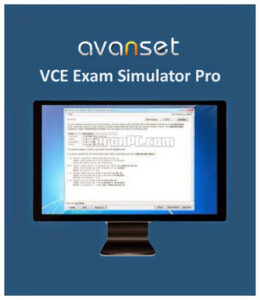
Avanset VCE Exam Simulator Pro is a powerful and realistic certification exam preparation tool designed for students, IT professionals, and anyone preparing for high-stakes tests. Instead of studying with static PDFs, this program recreates the real exam environment, helping users practice under conditions similar to the official test. With customizable timing, question formats, and adaptive behaviors, it makes exam preparation more efficient and confidence-boosting.
The software includes two essential components: VCE Designer and VCE Player. VCE Designer allows you to build your own practice exams from scratch or convert existing study materials into interactive test formats. You can create multiple question types, add explanations, import files, and structure full exams according to real certification standards. VCE Player, on the other hand, simulates the real exam interface, letting you take practice tests with accurate timing, navigation, and scoring.
One of the biggest strengths of Avanset VCE Exam Simulator Pro is its flexibility. You can pause exams, resume later, review weak areas, retry specific sections, and adjust settings to match your personal learning style. It works perfectly for IT certifications like CompTIA, Cisco, Microsoft, Amazon AWS, Oracle, VMware, and many more.
Overall, this software gives you a practical edge by transforming theoretical study into real testing experience. If you want a professional and customizable exam simulator for Windows, Avanset VCE Exam Simulator Pro is one of the most effective solutions available.

Features of Avanset VCE Exam Simulator Pro
- Realistic exam simulation
Experience a fully authentic exam environment designed to replicate real certification tests. Timed mode, question navigation, review panels, and the overall interface closely match the actual exam centers—helping you build confidence and reduce anxiety before the real test. - Exam editor with preview function
Create, modify, and organize your practice exams using the powerful VCE Designer. Instantly preview your test layout to ensure flawless formatting, correct question placement, and a professional exam structure before exporting or attempting the test yourself. - Several different question types
Build diverse and engaging exams with support for multiple-choice questions, fill-in-the-blank items, drag-and-drop tasks, case studies, and scenario-based formats. This flexibility allows you to mirror complex real-world certification exams with high accuracy. - Whole exam in a single file
Manage your study material easily with the compact VCE file format. Each file contains the full test—questions, answers, explanations, and exam settings—making it simple to store, share, upload, and transfer exams across different devices and systems. - Customizable exam taking mode
Tailor your exam experience to your preferred study style. Switch between training mode for practice, review mode for correction, or strict timed mode for real exam preparation. This flexibility helps identify weak areas and improves overall test performance.


Developer: Homepage
License: full_version
Language: English
OS: Windows XP, Vista, Windows 7/8.1/10.
– Fixed: Hotkeys ALT+V (Saves the current session) и ALT+X (Displays the exibits) didn’t work.
– Fixed: Problems saving Score History.
– Fixed: VCE Designer used to lower the quality of images while importing them.
– Fixed: VCE Designer didn’t save answers in Hot Area questions immediately after the question was created.
– Fixed: There was an option of printing Score Report with the “Disable printing score report” option on.
– Fixed: Multiple minor issues with the interface.
– Fixed: Small miscellaneous bugs.
– Improved: The processing speed of files with high number of questions.
– Improved: Stability of the app.
Download Avanset VCE Exam Simulator for Windows
Avanset VCE Exam Simulator Pro 2.1 + VCE Exam Files | File Size: 111 MB
UsersDrive | Direct