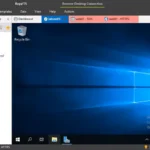
If you’re looking for a fast, reliable, and easy-to-use remote desktop solution, AnyDesk is the perfect choice. Whether you need to access your home computer from work, provide remote support, or collaborate with colleagues, AnyDesk makes it simple to connect to any device from anywhere. With its intuitive interface, secure connections, and lightweight design, AnyDesk is a must-have tool for remote access. Let’s explore what makes this software stand out.
What is AnyDesk?
AnyDesk is a remote desktop software that allows you to access and control another computer from anywhere in the world. It’s designed for both personal and professional use, offering features like unattended access, file transfer, and cross-platform compatibility. Whether you’re working remotely, providing IT support, or accessing files on the go, AnyDesk ensures a seamless and secure connection.
Read our Skype for PC review and discover its features.
Key Features of AnyDesk
Easy and Intuitive Interface
- Simple Connection: Connect to a remote device by entering its AnyDesk address.
- User-Friendly Design: Intuitive interface suitable for beginners and professionals alike.
Fast and Secure Connections
- Low Latency: Enjoy smooth and responsive remote control, even on low-bandwidth connections.
- TLS 1.2 Encryption: Ensures secure and private connections.
- Unattended Access: Set up password-protected access for remote devices.
Cross-Platform Compatibility
- Windows, macOS, Linux: Access and control devices running different operating systems.
- Mobile Support: Use AnyDesk on Android and iOS devices for on-the-go access.
Collaboration Tools
- Clipboard Sharing: Copy and paste text between local and remote devices.
- File Transfer: Easily transfer files between connected devices.
- Screen Recording: Record remote sessions for documentation or training purposes.
Customizable Permissions
- Control Settings: Lock or unlock keyboard and mouse input on the remote device.
- Sound and Display: Adjust sound output and display preferences for optimal performance.
Why Choose AnyDesk for Remote Access?
- Lightweight and Fast: Small installation size and low system requirements.
- Secure Connections: Military-grade encryption ensures your data is protected.
- Cross-Platform Support: Works seamlessly across Windows, macOS, Linux, Android, and iOS.
- Affordable Pricing: Offers free and paid plans to suit different needs.

How to Use AnyDesk
- Download and Install: Download AnyDesk from the official website and install it on your devices.
- Set Up Unattended Access: Enable unattended access and set a password for secure connections.
- Connect to a Remote Device: Enter the AnyDesk address of the remote device to establish a connection.
- Transfer Files: Use the file transfer feature to share documents between devices.
- Customize Settings: Adjust permissions, sound, and display settings for a better experience.
- End Session: Disconnect securely when you’re done.
AnyDesk vs. TeamViewer
While both AnyDesk and TeamViewer are popular remote desktop tools, AnyDesk stands out for its:
- Speed: Lower latency and faster connections, even on slower networks.
- Lightweight Design: Smaller installation size and lower resource usage.
- Affordability: More cost-effective pricing plans for personal and professional use.
- Ease of Use: Simpler interface and quicker setup process.
Frequently Asked Questions (FAQ)
Is AnyDesk free?
AnyDesk offers a free version for personal use, with optional paid plans for additional features.
Can I use AnyDesk on mobile devices?
Yes, AnyDesk is available for Android and iOS devices.
Is AnyDesk secure?
Yes, AnyDesk uses TLS 1.2 encryption to ensure secure and private connections.
Can I transfer files with AnyDesk?
Yes, AnyDesk includes a file transfer feature for sharing files between devices.
Final Thoughts
AnyDesk is the ultimate remote desktop software for anyone who needs fast, secure, and reliable access to another device. Whether you’re working remotely, providing IT support, or accessing files on the go, AnyDesk makes it easy to stay connected.
Ready to simplify remote access? Download AnyDesk today and experience the difference!
What's New in AnyDesk 9.7.16 - Changelog
New Features:
- Interactive Onboarding
- AnyDesk One Meeting now allows users to hide their own video tile
Fixed Bugs:
- Fixed an issue where the popup menu was displayed in the wrong position in the chat
- Fixed an issue where the Copy popup menu remained visible after the parent menu was closed
- Fixed an issue where the Accept window could occasionally freeze
- Fixed an issue where the wrong display opened
- Fixed an issue in AnyDesk One Meeting where the video stream of a client using a webcam that does not support HD resolutions was not displayed
Other Changes:
- Improved the Whiteboard UI
Developer: Homepage
License: Freeware
Language: Multilingual
OS: Windows
Download AnyDesk for Windows PC
AnyDesk 9.7.16 | File Size: 8 MB
Pixeldrain | Direct